
ComicFire vs Adobe Express
Choose the workflow that fits your brand stories.
Considering an Adobe Express alternative for brand comics? ComicFire focuses on mascot-led stories, from saved brand context to approved comic exports. Adobe Express covers broader design work and social scheduling.
Choose ComicFire when…
You want brand context, a recurring mascot, story ideas, comic refinement and approval connected to downloadable comic assets.
Choose Adobe Express when…
You want to create many types of marketing content, reuse brand assets and plan or publish social posts from a broader design toolkit.
From brand context to a finished comic.
Keep the business behind the story connected to the creative you review.
Brand + mascot
Save who you are, who you serve and how your mascot represents you.
Story idea
Write an idea or generate one with AI assistance. Shape the message you want to tell.
Review + approve
Generate a comic draft, check its details and refine it before approval.
Export pack
Download the approved comic in ready-to-share formats. Publish it yourself.
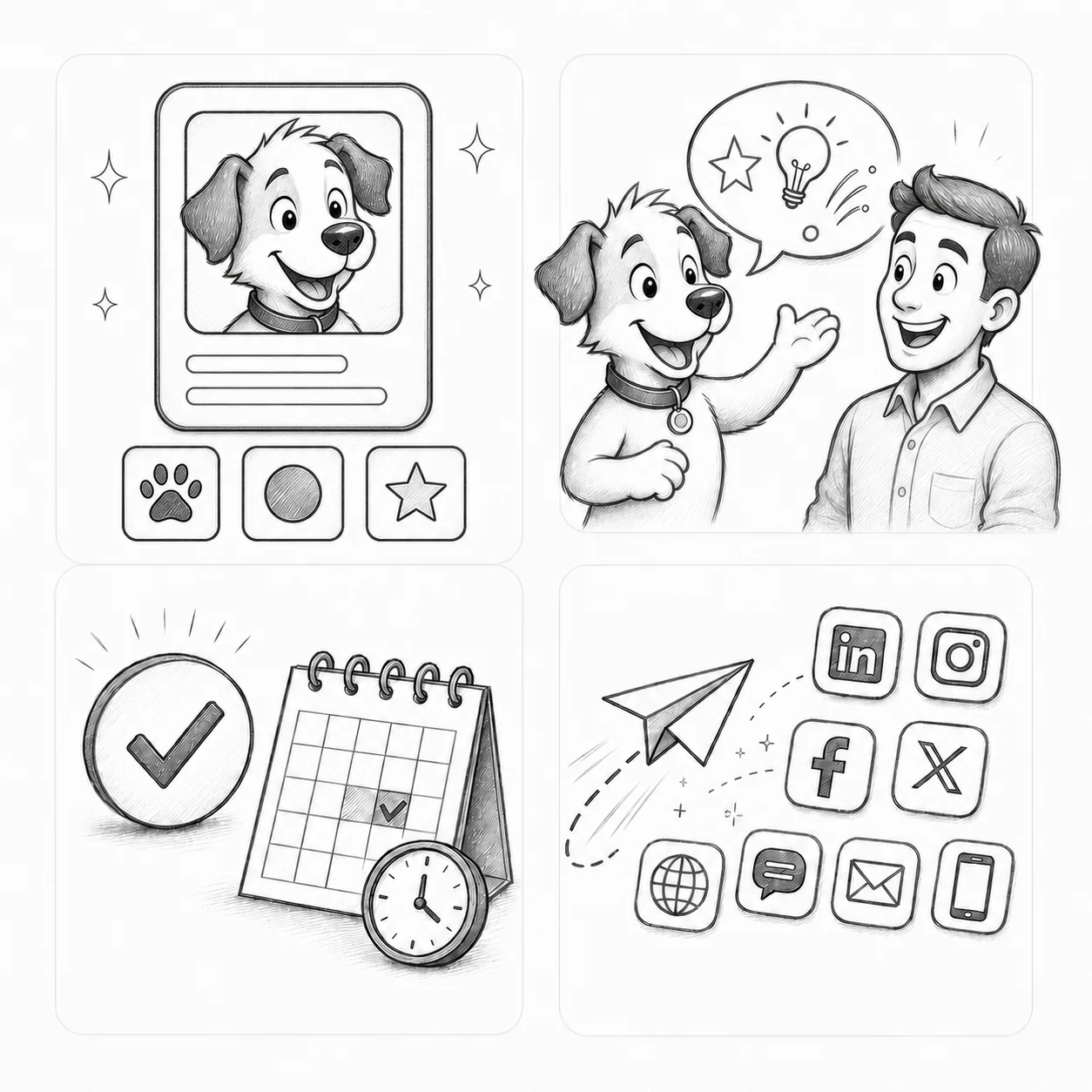
You supply the brand context and review the result. Drawing skills are not required; exact character reproduction and business outcomes are not guaranteed.
One story, ready for different formats.
A Different Personal Best — a fictional MoveWell Physiotherapy example generated with ComicFire. These are actual comic exports, not customer endorsements or measured results.


Compare the workflow.
| Your task | ComicFire | Adobe Express |
|---|---|---|
| Starting point | Save brand context and a mascot, then author or generate a story idea. | Start from a design or template for the content you want to create. [1] |
| Reuse brand context | Use saved narrative guidance and your mascot to guide comic creation. | Organize logos, colors, fonts and other assets in brands; feature availability depends on the plan. [2] |
| Create and review | Generate a comic draft, request refinements and explicitly approve the finished version. | Create and edit designs across social posts and other content types. [1] |
| Keep creating | Return to the same brand-and-mascot workspace for the next idea and comic. | Reuse brand assets and plan social content using Content Scheduler. [2][3] |
| Export and publish | Download the approved comic’s asset pack and publish separately. | Plan, preview, schedule and publish to supported social channels after connecting eligible accounts. [3] |
Using ComicFire alongside Adobe Express.
Create and approve the comic in ComicFire, then upload suitable exported files to Adobe Express if it fits your campaign workflow. Check current media requirements and account eligibility. This is a manual handoff, not a built-in integration.
Questions about choosing your workflow.
Is ComicFire an Adobe Express alternative for brand comics?
Yes, for the specific task of creating branded comics with a mascot and an explicit review workflow. Adobe Express is a broader choice for design and social scheduling, so the tools can also complement each other.
What do I need to get started with ComicFire?
Save your brand identity and narrative guidance, set up a mascot, then author or generate an idea. You review and refine the comic draft before approving its export preparation.
Does ComicFire replace Adobe Express Content Scheduler?
No. ComicFire provides downloadable assets and does not publish social posts. Adobe Express Content Scheduler supports planning, previews, scheduling and publishing, subject to account and channel requirements.
Sources and scope.
Reviewed . Based on published product information, not hands-on comparative testing. Features and plan availability can change.
- Adobe Express: Design tools (opens in a new tab)
- Adobe Express: Create brands (opens in a new tab)
- Adobe Express: Content Scheduler overview (opens in a new tab)
ComicFire’s workflow is described in How it works and FAQs. Examples are illustrative samples, not customer endorsements or measured results. Product names identify the tools being compared; no affiliation or endorsement is implied.